
Introduction
Artificial intelligence is transforming the way people work, communicate, and manage everyday tasks. Microsoft Copilot is one of the most powerful AI-powered assistants designed to make these activities easier, faster, and more productive.
But what is Microsoft Copilot, how does it work, and why are millions of people becoming interested in this AI tool?
Microsoft Copilot is an artificial intelligence assistant developed by Microsoft. It uses advanced AI models to understand user questions, generate content, summarize information, assist with research, create ideas, and support productivity across different Microsoft products and services.
Whether you are a student, business owner, professional, developer, or everyday computer user, Microsoft Copilot can help simplify various tasks and save valuable time.
In this complete guide, you will learn about Microsoft Copilot, its features, benefits, use cases, limitations, and how to get started.
What Is Microsoft Copilot?
Microsoft Copilot is an AI-powered digital assistant that helps users complete tasks through natural language conversations. Instead of manually searching for information or writing everything from scratch, users can simply describe what they need, and Copilot can generate helpful responses.
It combines artificial intelligence with Microsoft’s software ecosystem to provide assistance with writing, research, data analysis, coding, brainstorming, and other productivity tasks.
For example, you can ask Microsoft Copilot to:
- Write professional emails and documents.
- Summarize long articles and reports.
- Explain complex topics in simple language.
- Generate creative ideas and content.
- Assist with coding and troubleshooting.
- Analyze information and organize data.
- Create images from text descriptions.
Microsoft Copilot is available through different experiences, including its standalone web and app interfaces and integrations with Microsoft products. Its available features depend on the product, subscription, and account.
How Does Microsoft Copilot Work?
Microsoft Copilot uses advanced artificial intelligence models, natural language processing, and other technologies to understand requests and generate relevant responses.
When a user enters a question or instruction, Copilot processes the input, identifies the user’s intent, and generates a response based on its available AI capabilities and context.
Here is a simplified explanation of how it works:
- User Input: You enter a question, command, or instruction.
- AI Processing: Copilot analyzes your request and understands its context.
- Response Generation: The AI generates an appropriate answer or output.
- Task Assistance: Depending on the available integration, Copilot can help complete tasks within supported applications.
- User Review: You review the generated information and make any necessary corrections.
This process allows users to interact with technology through everyday language instead of complicated commands.
Key Features of Microsoft Copilot
Microsoft Copilot includes several AI-powered features designed to improve productivity and make everyday digital activities easier.
1. AI-Powered Content Writing
One of the most useful features of Microsoft Copilot is its ability to generate written content. Users can request blog posts, emails, product descriptions, social media captions, reports, and other types of text.
It can also rewrite existing content, improve grammar, adjust writing tone, and organize information into readable formats.
2. Intelligent Research Assistance
Copilot can help users research different topics, understand concepts, and find relevant information.
It can provide explanations, summarize information, and help users explore questions. When using its web-connected experience, it can also provide links to supporting sources.
Users should verify important information because AI-generated responses can sometimes contain errors.
3. AI Image Generation
Microsoft Copilot can help users create images from written descriptions through supported image-generation capabilities.
For example, users can describe a product design, creative illustration, marketing graphic, or visual concept and request an AI-generated image.
This feature can be useful for content creators, designers, marketers, and website owners.
4. Microsoft 365 Integration
Microsoft Copilot is also integrated into supported Microsoft 365 applications and experiences.
Depending on the subscription and available features, it can assist users with:
- Microsoft Word for writing and editing documents.
- Microsoft Excel for analyzing and understanding data.
- Microsoft PowerPoint for creating presentations.
- Microsoft Outlook for email-related tasks.
- Microsoft Teams for meeting summaries and collaboration.
These integrations can help users complete work more efficiently within familiar applications.
5. Coding and Technical Assistance
Developers can use Copilot-powered experiences to get help understanding code, generating examples, explaining programming concepts, and troubleshooting technical problems.
Microsoft also offers GitHub Copilot, a separate AI-powered coding assistant designed specifically to support software development.
6. Natural Language Conversations
Users can communicate with Microsoft Copilot using everyday language.
There is no need to learn complicated commands. You can ask questions, provide instructions, request explanations, and refine responses through follow-up messages.
What Can You Do with Microsoft Copilot?
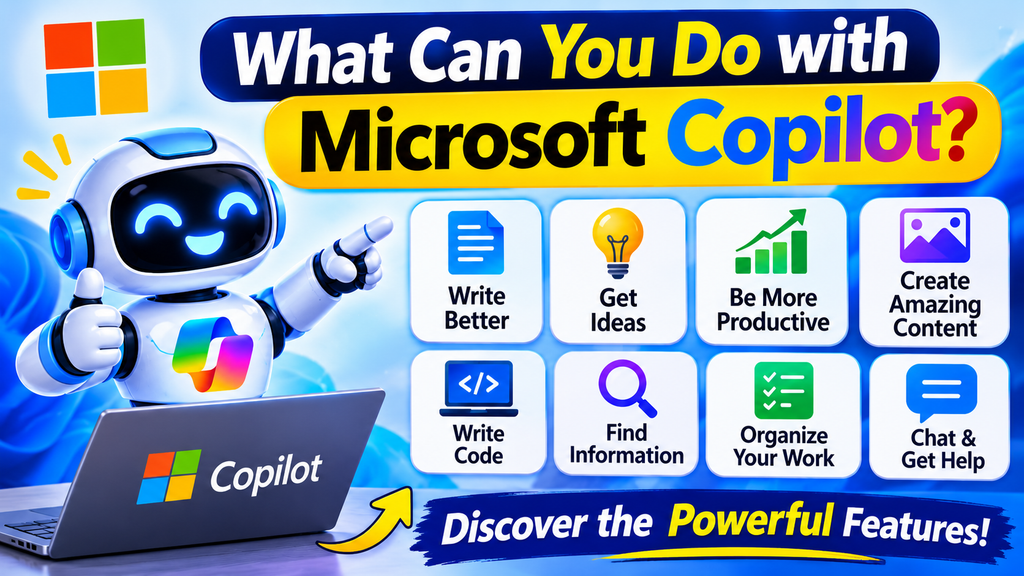
Microsoft Copilot supports a wide range of personal, educational, and professional activities.
Some common use cases include:
For Students: Students can use Copilot to understand difficult subjects, summarize study materials, generate practice questions, and organize learning activities.
For Professionals: Office workers can use it to draft emails, prepare reports, summarize information, and brainstorm ideas.
For Businesses: Businesses can explore Copilot to improve productivity, support communication, organize information, and assist with everyday workflows.
For Content Creators: Bloggers, writers, and marketers can use it to generate content ideas, create outlines, rewrite text, and develop marketing materials.
For Developers: Programmers can use AI assistance to understand code, explore solutions, and improve development workflows.
Benefits of Using Microsoft Copilot
Microsoft Copilot offers several potential benefits for individuals and organizations.
Saves Time
Copilot can reduce the time required for writing, summarizing, brainstorming, and researching. Users can complete many routine tasks more efficiently.
Improves Productivity
By providing AI assistance within supported applications, Copilot can help users focus on important activities instead of spending too much time on repetitive work.
Supports Creativity
It can generate new ideas, suggest different approaches, and help users overcome creative blocks.
Makes Information Easier to Understand
Users can ask Copilot to explain complicated information in simple language, making it easier to understand unfamiliar subjects.
Supports Different Skill Levels
Both beginners and experienced professionals can use natural language instructions to access AI-powered assistance.
Microsoft Copilot vs. ChatGPT: What Is the Difference?
Microsoft Copilot and ChatGPT are both AI-powered assistants, but they offer different experiences and integrations.
| Feature | Microsoft Copilot | ChatGPT |
|---|---|---|
| Developer | Microsoft | OpenAI |
| AI assistance | Yes | Yes |
| Content writing | Yes | Yes |
| Research assistance | Yes | Yes |
| Image generation | Available in supported experiences | Available in supported experiences |
| Microsoft 365 integration | Available in supported plans | Depends on available integrations |
| Coding assistance | Available through Copilot experiences | Yes |
| Main focus | Microsoft ecosystem and AI productivity | General-purpose AI assistance |
The best option depends on your requirements. Microsoft Copilot may be particularly useful for people working within Microsoft’s ecosystem, while ChatGPT offers a broad range of conversational and productivity capabilities.
Is Microsoft Copilot Free?
Microsoft offers free Copilot experiences, allowing users to access AI assistance without necessarily purchasing a Microsoft 365 subscription.
However, some advanced capabilities, higher usage limits, and Microsoft 365 integrations may require a paid subscription or an eligible account.
Availability, pricing, and features can change over time, so users should check Microsoft’s official website for the latest information.
How to Get Started with Microsoft Copilot
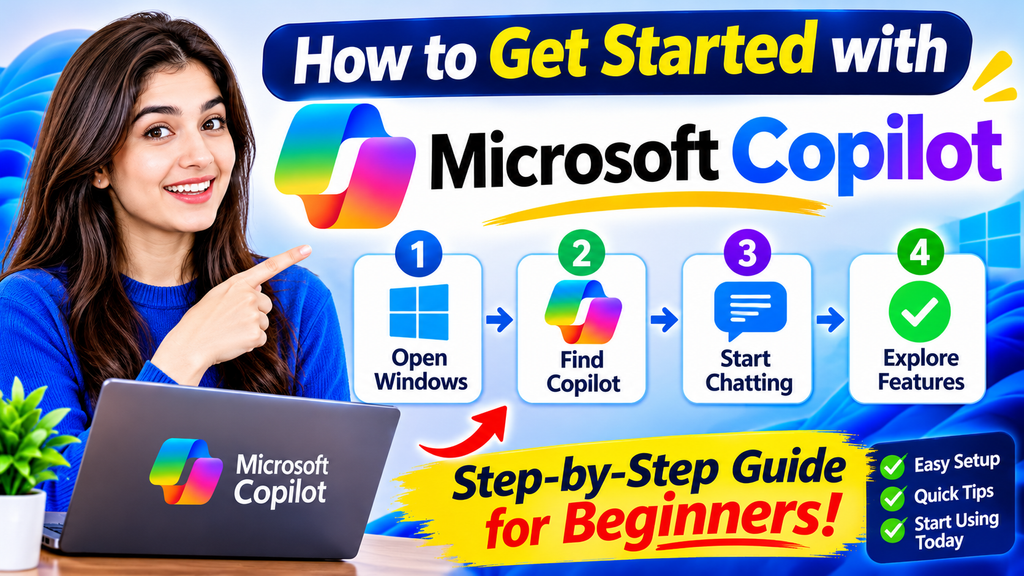
Getting started with Microsoft Copilot is relatively simple.
Follow these steps:
- Open the official Microsoft Copilot website.
- Sign in with your Microsoft account if required.
- Open the Copilot chat interface.
- Enter your question or instruction.
- Review the generated response.
- Ask follow-up questions to improve or refine the result.
You can begin with simple requests, such as asking Copilot to explain a topic, write an email, or summarize information.
Limitations of Microsoft Copilot
Although Microsoft Copilot provides useful AI capabilities, it is important to understand its limitations.
- AI-generated information may sometimes be inaccurate.
- Some features require a paid subscription.
- Available capabilities can vary by region and account.
- Complex tasks may require detailed instructions.
- Users should review generated content before publishing or sharing it.
- Sensitive business or personal information should only be shared according to applicable privacy and organizational policies.
Copilot should be treated as an assistant rather than a complete replacement for human judgment.
Frequently Asked Questions About Microsoft Copilot
1. What is Microsoft Copilot used for?
Microsoft Copilot is used for writing, research, summarizing information, generating ideas, answering questions, coding assistance, and improving productivity through AI-powered tools.
2. Is Microsoft Copilot free to use?
Yes, Microsoft provides free Copilot access through supported experiences. However, certain advanced features and Microsoft 365 integrations may require paid subscriptions.
3. Is Microsoft Copilot better than ChatGPT?
Neither tool is universally better. Microsoft Copilot is useful for people who want AI assistance within Microsoft’s ecosystem, while ChatGPT provides a versatile general-purpose AI experience.
4. Can Microsoft Copilot write articles?
Yes. Users can ask Copilot to generate article outlines, introductions, blog posts, summaries, and other written content. Generated content should always be reviewed and fact-checked.
5. Can Microsoft Copilot generate images?
Yes. Supported Copilot experiences include AI image-generation capabilities that allow users to create visuals using text prompts.
6. Do I need a Microsoft account to use Copilot?
Account requirements depend on the specific Copilot experience and feature. Some experiences allow limited access without signing in, while others require a Microsoft account.
7. Is Microsoft Copilot safe?
Microsoft provides security and privacy protections across its products, but the exact protections depend on the Copilot version and account type. Users should review the applicable privacy terms and avoid sharing sensitive information unnecessarily.
Final Thoughts
Microsoft Copilot is an increasingly important AI assistant that helps people work smarter, generate ideas, understand information, and complete everyday digital tasks.
From content writing and research to Microsoft 365 productivity and coding assistance, Copilot offers a variety of capabilities for different types of users.
Although it has some limitations, it can be a valuable productivity tool when used correctly. The best approach is to combine its AI capabilities with human judgment, review, and fact-checking.
My account setup was a breeze and the login process never glitches even when the servers are busy. I keep my details safe and the whole experience runs so smoothly across all my devices. It is rare to find a platform that balances speed with security this well. Stop by 333detlogin whenever you want a quick session.
Thank you for sharing your positive feedback! We truly appreciate your support and are glad you’re enjoying the smooth and secure experience.